Search for Resources With No Label
Released on 02/18/2020
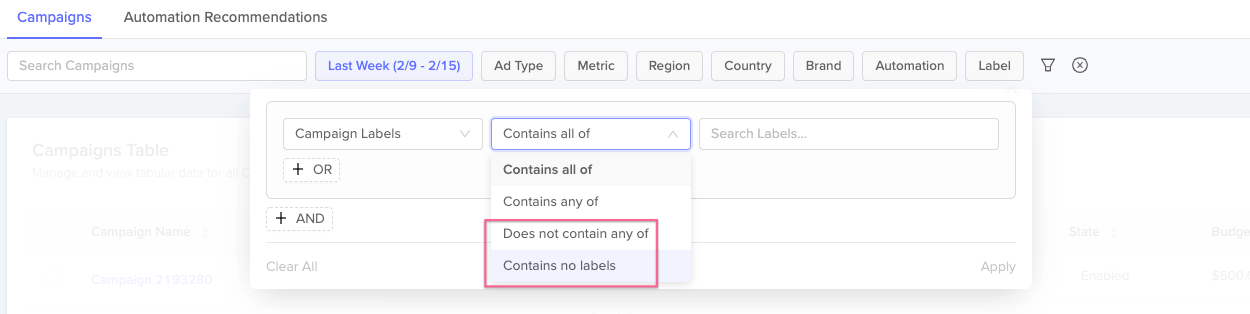
As of today, users can now search for resources that do not contain one, multiple, or any labels. To search for a resource without a specific label or set of labels, select "Does not contain any of" in the label filter dropdown, then select the target label(s). To search for a resource without any labels, select "Contains no labels" in the dropdown. This option will find resources with no labels attached.